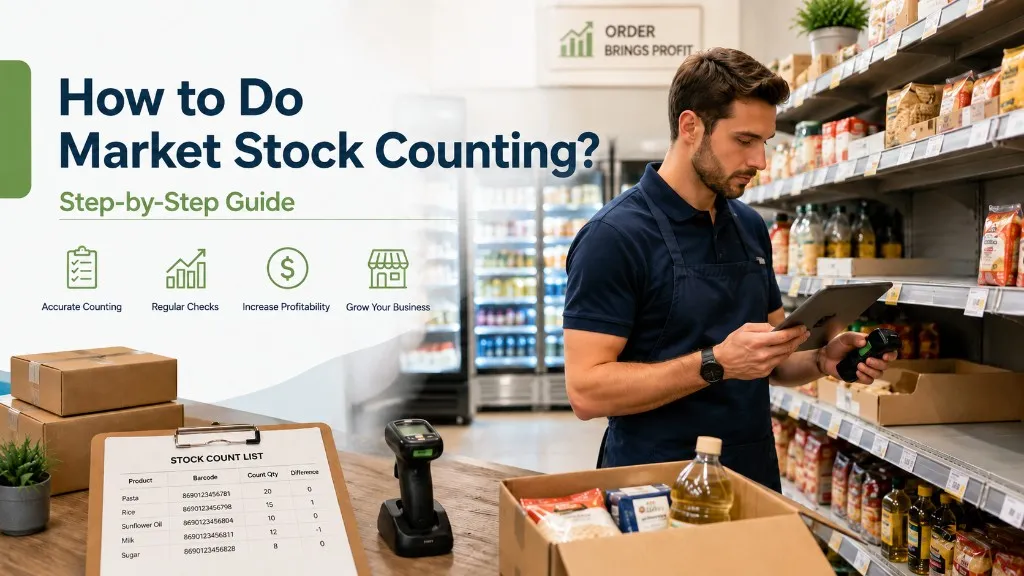
How to Do Grocery Store Stock Counting? Step-by-Step Guide
There's a shortage at the register, but why? Shelves are empty, customers have walked away — or the opposite, expired products are going to waste. Behind the vast majority of these problems lies irregular or never-done grocery store stock counting. You don't need expensive software or an outside service; when you follow the right steps, you can manage this process yourself at the scale of a small shop, kiosk, or grocery store. Stock counting is not just a physical task — it's a strategic process that directly affects your profit-and-loss balance.
Why Is Grocery Store Stock Counting So Important?
The cost of inaccurate stock information is heavy. You announce a promotion at the wrong price, the shelf empties but the system shows it's full, the product you over-ordered passes its expiration date. All of these are direct financial losses. And they're preventable.
Businesses that perform regular grocery store stock counting gain a clear advantage in financial accuracy, cost control, and shrinkage detection. There's a widely acknowledged truth in the industry: An incomplete count means incomplete profit; excess stock is a hidden loss.
In practice, small businesses that keep inventory management consistent catch stock discrepancies early and prevent unnecessary orders. You don't need a big system for stock tracking — the right habit is enough.
When Should Stock Counting Be Done?
When is counting done in grocery stores? There are several critical moments:
- End of month: The most common time for period-end counting
- Before promotions: To clarify stock status before setting prices
- Year-end inventory period: Critical for accounting and tax compliance
- Suspicious loss or movement: If the register consistently shows shortages
- Handover process: Before the business changes hands
- Before aisle reorganization: To document the current state
A practical calendar suggestion for small grocery stores and shops: one full count per month + one quick check per week. For quick checks, it's sufficient to focus only on fast-moving or high-value product groups.
How to Do Grocery Store Stock Counting Step by Step?
The process is not as complicated as it looks — four steps, one form, and a careful team are enough. Stock counting in a grocery store can be carried out completely even with manual methods; no expensive software or outside service is needed. If you're attempting inventory counting for the first time, follow these steps in order and don't skip any.
Step 1: Planning — Set the Date, Team, and Area
Clarify the count date and time in advance. In practice, counts done between 7:00–9:00 AM or after closing give the cleanest results; zero customer traffic, no stock movement. Who should do the stock count? In a small grocery store, the owner can handle it alone. In a larger space, determine in advance which aisle or storage section each staff member will count. Make the distinction between the sales floor and the stockroom from the start; confusion usually stems from here.
Step 2: Preparation — Prepare the Form and Tools
Prepare your counting form in advance. The form should have these columns: product name, barcode/code, system quantity, counted quantity, difference. A pen and notebook, Excel, or a simple app on your phone will do the job. Always apply the blind count technique: don't show the counter the system quantities, have them count first, then compare. This method significantly reduces human-caused errors.
Step 3: Counting — Systematically Scan Aisles and Storage
Move left to right, shelf to shelf, by category. Mark each product you've counted — a small sticker or a pencil mark is enough. This way you won't count the same product twice. The process is the same for those using barcode scanners or handheld terminals; the only difference is the speed of data entry.
Step 4: Comparison — Match the System with the Physical Count
Compare the quantities you counted with the records in your system or ledger. Flag the products with discrepancies. What should be done if differences are found after stock counting? First, determine the cause: spoilage, theft, recording error, or return. After identifying the cause, correct the record and enter it in the stock reporting form. Ignoring the difference only makes the problem bigger — never skip this step.
Common Mistakes in Stock Counting
The trap that the vast majority of businesses fall into is the same: the problem isn't in the process, it's in the lack of preparation. In practice, the most common issue is keeping the register open during counting — this single mistake can invalidate the entire count. The four most common errors and brief prevention notes:
- Continuing sales or receiving deliveries during counting: If stock movement occurs after counting starts, the numbers become meaningless. Prevention: Stop register and storage room intake during counting, or separately record movements.
- Counting the same product twice: Especially common with products found both on the sales floor and in storage. Prevention: Mark every item you count; divide the stock control list into sections.
- Counting without forms or records: Counting by memory or verbally is unreliable. Prevention: Keep a written record of every count, even in the simplest form.
- Skipping the reporting of differences: A difference was found, a note was taken, but no stock reporting was done. Prevention: Create and save a variance report after every count.
The blind count technique is also one of the practical ways to prevent some of these errors.
Manual or Digital? Choose the Right Method for Small Business
Which method suits you? The answer depends on the scale of your business. The table below makes your decision easier:
| Business Type | Recommended Method | Tool | |---|---|---| | Corner shop / Kiosk | Manual counting | Pen-and-paper or Excel | | Small grocery store | Manual or hybrid | Excel + barcode scanner | | Mid-size grocery store | Digital | Handheld terminal, POS integration | | Supermarket | Digital (mandatory) | Software + handheld terminal | | Food warehouse | Digital | Software with lot/batch tracking |
For corner shops and kiosks, pen-and-paper is sufficient in most cases. Product variety is limited, staff count is low — no need for a complex system.
In mid-size grocery stores, a barcode scanner or handheld terminal provides significant time savings; in a business with more than 500 weekly product movements, manual counting can take hours while a handheld terminal significantly shortens this time. In a system with POS integration, count data is processed directly, eliminating manual transfer errors. If you're considering switching to digital methods, we've explained step by step how you can count with your Android phone in our stock counting app guide.
Are you tracking lots and batches? Then the digital method becomes mandatory from the start for food warehouse stock counting. At this scale, manual methods fall short; lot tracking makes a digital system inevitable.
Plan, prepare, count, compare, report. Five steps, a notebook, a consistent habit — you don't need anything else to close the gap at your register. For small businesses, a monthly full count is the ideal starting point; do your first count this week.
Start right away by downloading the free grocery store stock counting form — product name, quantity, and difference columns are ready, just fill them in.