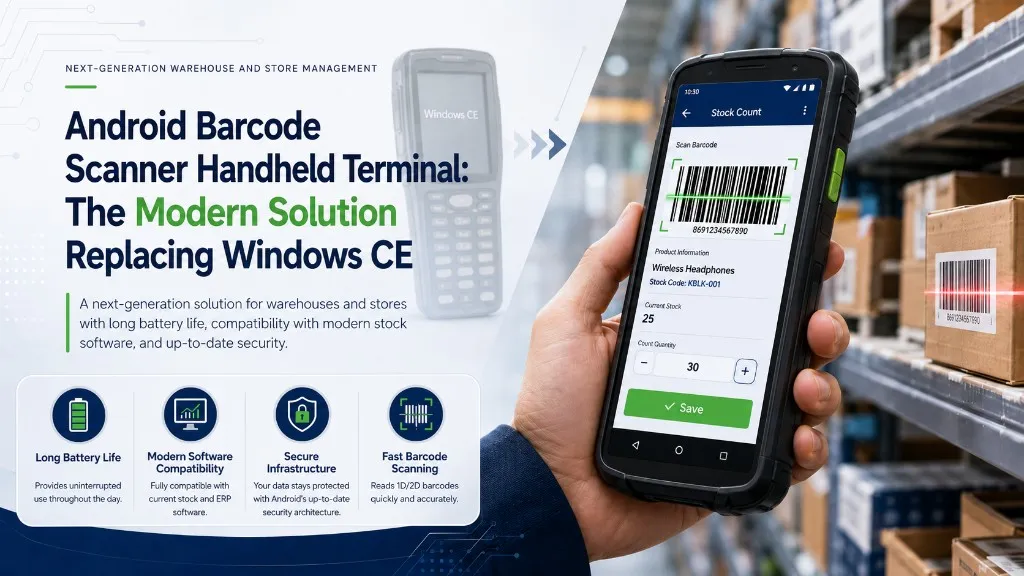
Android Barcode Reader Handheld Terminal: The Modern Solution Replacing Windows CE
If you're still using a Windows CE-based handheld terminal in your warehouse or store, these problems probably feel familiar: the battery dies within a few hours, your new stock software doesn't work with the device, or you're forced to operate on a system that no longer receives security updates. There's a single reason for all of these — the technological lifespan of those devices has long expired.
In this guide, we'll explain why Android barcode reader handheld terminal technology represents a genuine leap over Windows CE devices, with concrete data on battery and scanning performance. You'll also find how it integrates with stock counting software and what to consider when choosing the right device for your business.
What Is a Handheld Terminal and What Does an Android Handheld Terminal Do?
A handheld terminal is an industrial mobile data collection device designed for barcode scanning, data capture, and software integration. Unlike an ordinary smartphone, it's built for heavy-duty conditions with resistance to drops, dust, and moisture. It's a tool designed to work on factory floors or in warehouse aisles.
An Android barcode reader handheld terminal combines this durability with the modern Android ecosystem. Handheld terminals serve a wide range of uses from warehouse management to retail, logistics operations to inventory counting firms. Clothing stores track inventory by scanning product labels; grocery stores manage price and stock control in real time; warehouses accelerate goods receipt and shipping processes. Field operations and the healthcare sector also actively use these barcode scanning devices.
So why do so many businesses still remain tied to old Windows CE terminals despite such a broad range of applications?
Why Are Windows CE Handheld Terminals No Longer Sufficient?
According to Microsoft's lifecycle policy, support for Windows Embedded CE 6.0 ended in 2018. Windows Embedded Handheld / Windows Mobile 6.5 became history in January 2020. Support for Windows Embedded Compact 2013 ended as of October 10, 2023. In other words, any Windows CE-based handheld terminal no longer receives official security updates.
This isn't just a technical note. Unsupported devices become incompatible with new applications, security vulnerabilities can't be patched, and spare parts become increasingly hard to find. Businesses that delay migrating from Windows CE to Android continue operating on an increasingly fragile infrastructure every day.
Risks Unsupported Systems Bring to Businesses
The scenario we frequently encounter in the industry is this: a business wants to deploy new stock counting software, but the software developer no longer maintains Windows CE compatibility. The result? Either continue with old software or replace all terminals. On the security side, every device connected to the corporate network on an unpatched system becomes a potential risk point. Since modern ERP systems don't support Windows CE APIs, businesses trying to establish integration hit the same wall.
Core Advantages of Android Barcode Reader Handheld Terminals
The transition has three concrete gains: battery life, barcode scanning capability, and a current technology ecosystem. Let's discuss each with data.
Long Battery Life: Uninterrupted Full-Shift Operation
7,000 mAh — that's the battery capacity of the Zebra MC3300X. The Point Mobile PM550 offers similar performance with 6,300 mAh. On some specialized models like the T-80, this figure reaches up to 10,000 mAh; according to manufacturer data, standby time on this model can reach 72 hours. Compared to old Windows CE terminals with batteries that have lost capacity over the years, the difference in handheld terminal battery life is clear. Not having to search for a charger mid-shift becomes a significant operational advantage, especially during intensive counting periods.
Fast and Multi-Format Barcode Scanning
The vast majority of devices from the Windows CE era worked primarily with 1D barcodes; 2D support was limited and came at extra cost. Modern Android handheld terminals read 1D barcodes as well as 2D barcodes and QR codes without issue. One device, all formats. Some long-range models can scan from up to 20 meters away according to manufacturer technical data — a major convenience in high-rack warehouses. In an environment where QR code usage has become this widespread, working with a single-format reader creates operational bottlenecks. A problem we frequently encounter in practice: lack of format support is one of the main causes of unexpected delays in stock counting processes.
Current Android Ecosystem: Applications, Security, and Integration
Android is an open-source operating system; the AOSP license is free. This means an additional cost advantage beyond the hardware price. Additional licensing costs may arise in enterprise scenarios requiring Google services (GMS); however, the overall picture is much more flexible compared to Windows CE's licensing structure. Thanks to a broad application ecosystem, many solutions from stock counting software to ERP integration are readily available for the Android platform. Security updates arrive regularly. This closes Windows CE's biggest gap. Wi-Fi and Bluetooth connectivity options allow the device to integrate easily with existing infrastructure. There's also this: since the vast majority of employees are already familiar with the Android interface, staff training time is significantly shortened.
Integration of Stock Counting Software with Android Handheld Terminals
The real value of an Android handheld terminal emerges not when it works alone, but when combined with stock counting software.
Staff instantly transfer product information to the system by scanning barcodes while working on a handheld terminal counting software. Human-caused errors are minimized; data is transmitted to the central system in real time. In the goods receipt process, barcodes of incoming products are scanned and stock is automatically updated. The same integration kicks in at the point of sale or order stage.
Is connection to ERP or accounting software possible? Yes. Android-based handheld terminals work seamlessly with modern ERP systems through API integration. For businesses performing retail stock counting, this means count results are automatically transferred to the accounting system. Manual data entry is eliminated, error rates drop, and counting time shortens.
From what we've observed in the industry, the question businesses ask most after setup is: "Is our current software compatible with Android handheld terminals?" The answer is largely yes — stock counting applications developed for the Android platform are designed to work compatibly with handheld terminals of different brands and models. You can also read our stock counting app guide for web-based alternatives.
Which Businesses Should Use Android Barcode Reader Handheld Terminals?
Short answer: every business that scans barcodes, counts stock, or tracks goods movement. Let's expand a bit.
Grocery stores and supermarkets: Using Android handheld terminals for shelf price checks, stock counting, and goods receipt operations provides significant time savings. Scanning barcodes instead of cashiers manually entering products both increases speed and reduces error risk.
End-of-season counting is approaching and there are hundreds of SKUs in the warehouse. For clothing stores, an Android barcode handheld terminal comes into play at exactly this point: it prevents stock inconsistencies by quickly scanning size-color combinations and significantly shortens counting time.
Warehouse and logistics companies: When the first truck arrives in the morning, does the goods receipt team have the right tool in hand? In warehouse management, handheld terminals are indispensable for goods in-out tracking, shipment verification, and location-based stock management. Long-range scanning capability offers extra advantage in high-rack warehouses.
Do you need to perform multiple counts at different customer locations on the same day? For inventory counting firms, a logistics barcode terminal is the essential tool for carrying this load. Running large-scale counts manually without a stock counting handheld terminal is unsustainable in terms of both time and error cost.
Criteria to Consider When Choosing an Android Handheld Terminal
There are dozens of models on the market. Which one is right for you?
When choosing an Android barcode reader handheld terminal, focus on these criteria:
- Battery capacity: Choose at least 4,000 mAh based on your shift duration; 6,000 mAh and above for intensive use.
- Barcode scanning engine: 1D and 2D barcode plus QR code support should be standard; if long-distance scanning is needed, a long-range engine is essential.
- Durability certification: IP65 or IP67 dust and water protection, MIL-STD-810 drop resistance — these are minimum expectations for industrial use of a rugged Android barcode reader handheld terminal.
- Operating system version: A current Android version guarantees long-term software support and security updates.
- Connectivity options: Wi-Fi and Bluetooth support is necessary for integration with your existing network infrastructure.
- Stock software compatibility: Verify in advance that the stock counting or ERP software you'll use is compatible with the device.
Zebra Android handheld terminal models are a strong choice for the enterprise segment. Point Mobile handheld terminals and Sunmi handheld terminals offer a broader price-performance range. Android handheld terminal prices vary significantly by model and features; making a decision based on price alone without needs analysis isn't the right approach.
Windows CE support ended years ago; businesses remaining on this platform carry increasing risk every day. Android handheld terminals are now the industry standard: long battery life, multi-format barcode scanning, and seamless integration with modern stock counting software all in one. The transition requires investment, yes — but the operational losses and security risks of an unsupported system often far outweigh this cost.
The first step is identifying the device that suits your needs. If you're wondering which model fits your business, you can review the list of devices supported by our stock counting software. Discover how our stock counting software integrates with Android handheld terminals — request a demo or visit our product page.