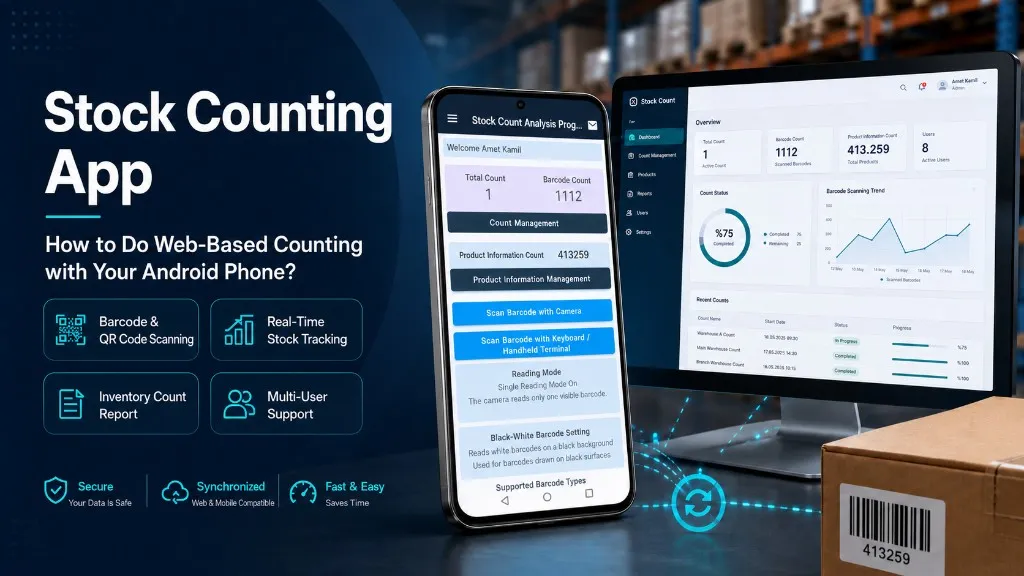
Stock Counting App: How to Do Web-Based Counting with Your Android Phone?
Think about how many people and hours you spend in your warehouse on counting day. Paper lists, Excel files, numbers that don't add up... Industry data shows that the error rate in manual stock counting ranges between 5-10%. For a large warehouse, that means hundreds of incorrect records.
You don't need an expensive hardware investment to solve this problem. Your Android phone is enough. With a web-based stock counting app, you open your browser, scan barcodes, and the count is done. Below you'll find how the app works, what it saves you, and how to make the right choice.
What Is a Stock Counting App and What Does It Do?
A stock counting app is the digital arm of inventory management. In short, it automates manual counting processes, enabling you to effectively track your inventory, organize order planning, and reduce costs.
The difference with a web-based inventory counting program is this: it requires no installation on your computer. You log in from a browser, and data is stored in the cloud. You can access it from the warehouse, the office, or even from home. The great thing is, no matter which device you open, your data will be waiting for you.
The core functions are:
- Barcode and QR code scanning: Instantly identifying products using the phone's camera
- Real-time stock tracking: Data updated instantly as counting progresses
- Stock counting report: Automatically generating count results, variances, and summary tables
- Multi-user support: Multiple people counting different shelves simultaneously
The Difference Between Web-Based Stock Counting Software and Desktop Software
Desktop inventory management software was used as the standard solution for years. But this approach has serious limitations; especially when transitioning to mobile workflows, these constraints become much more noticeable.
| | Web-Based | Desktop | |---|---|---| | Installation | Not required | Separate installation on each device | | Updates | Automatic | Manual, time-consuming | | Access | Any device, anywhere | Only on the installed computer |
Web-based stock counting software makes warehouse management processes compatible with mobile devices. From what we've observed in the retail and logistics sectors, the first thing businesses say after switching from desktop software in warehouses managing dozens of product groups is: "We no longer worry about updates." In terms of operational efficiency, this difference translates into a significant cost advantage over time.
How to Do Stock Counting with Android?
It's not as complicated as you might think. Using an Android stock counting app works step by step like this:
- Log in from the browser: Connect to the app with Chrome or any mobile browser; no additional download required.
- Create a count list: Select the product groups or warehouse zones you want to count.
- Scan barcodes or QR codes: Point your phone's camera at the product; the barcode-based stock counting system automatically recognizes the product and records the quantity.
- Complete the count and get the report: After all products are scanned, the system instantly generates a count variance report.
No additional barcode reader device is needed. The same camera is sufficient for QR code stock tracking too. This means you can deploy a mobile stock tracking app immediately with zero extra hardware cost.
Handheld Terminal or Smartphone? Which Is More Suitable?
Handheld terminals offer advantages in intensive industrial environments with their durable construction and long battery life. However, the cost per device is high, and the procurement process takes time.
For the vast majority of SMEs, an Android smartphone is more than sufficient. If you redirect the budget you would spend on handheld terminal stock counting toward a software subscription, you'll get a much faster return. Unless there are special conditions like heavy industry or cold chain warehouses, we recommend choosing the phone.
Benefits of Using a Stock Counting App
Up to 50% time savings, 20% reduction in operational costs. Deloitte's supply chain digitalization research reveals that automation processes can potentially deliver these gains. But what do these mean in practice?
- Error rate drops: The 5-10% error rate in manual counting makes it possible to reach a stock accuracy target of over 95% with digital product tracking.
- You save time: The same count is completed in much less time with fewer personnel — in some warehouses, the work of an 8-10 person counting team can be handled by 2-3 people.
- You make instant decisions: Thanks to real-time inventory updates, you see stock status in real time and don't delay ordering decisions.
- Excess stock is prevented: Since count variances are reported instantly, surplus or shortage situations are detected early; this way you avoid unnecessary warehouse costs and idle capital.
- Auditing becomes easier: You can access past count records with a single click in supply chain management processes.
What to Consider When Choosing the Right Stock Counting App
There are dozens of options on the market. They all have sleek interfaces and similar promises. To understand which one will actually work for you, look at these criteria:
Android compatibility: The app should run smoothly on the different Android models and versions your team uses. Don't buy without testing this.
Offline mode: You may need to count in warehouse corners or basement floors where internet connectivity is weak. A warehouse stock counting app that offers offline stock counting support stores data on the device when the connection drops; it syncs when connectivity returns.
What happens without ERP integration? You need to enter data separately into both the app and the accounting system. Experience shows that this repetition significantly erodes the gains provided by digitalization. Choose a solution that can exchange data with your existing system.
Ease of use: With apps that have complex interfaces, employees struggle to adopt the system; this process sometimes takes weeks. Request a demo and try it together with your team.
The pricing model is part of your long-term investment. Monthly fee per user, or fixed license? Carefully calculate which is more economical based on your business growth plan.
Is There a Free Stock Counting App?
Yes, free and freemium models exist. But most impose serious limits on product count or number of users, and don't offer technical support. You can try them to start. As your business grows, the value returned by a paid solution far exceeds these limits.
Your Next Step
A web-based and Android-compatible stock counting app eliminates the errors and time waste created by manual counting without any additional hardware investment. All you need is the phone in your hand and the right software. Start with a trial version and see the difference in your first count.
Try it now with your Android phone — no installation required, start in 5 minutes.